How to Get Your Business Recommended by ChatGPT
When someone asks ChatGPT who to hire, it names a handful of businesses. Here’s what’s known about why those ones get picked and the practical steps that make yours more likely to be among them.
6 minutes

You can't switch on a ChatGPT recommendation. There's no form to fill in and no setting to change. What you can do is make your business easy for ChatGPT to find, easy to understand and easy to vouch for. Then you check regularly whether it's working.
That's less glamorous than "five hacks to rank in ChatGPT" but it's the honest answer. This guide explains the reasoning behind each step so you can judge it for yourself. If you'd like the wider picture first, our guide to what AI search is and why your business should care covers it. Midwaver, an AI visibility tracker, shows you whether any of it is working. More on that at the end.
Start with how your best clients probably found you. Someone recommended you. A friend, a colleague, another professional. You didn't pay for it and you couldn't have scripted it. They'd simply heard good things from more than one person and your name came to mind.
ChatGPT is quietly becoming another one of those recommenders. Ofcom's research shows that far more UK adults now use AI tools such as ChatGPT, Copilot or Gemini than a year ago. Some of them are asking it who to hire. The difference is that this recommender has never met you. It only knows what it can find and read about you and whether other people have backed it up.
What ChatGPT is actually doing when it recommends a business

When someone asks ChatGPT for a recommendation, it draws on one or both of two things. The first is what it learned in training, which is a snapshot of the internet up to a certain point. The second is a live web search, which it runs when it judges that a question would benefit from current information.
OpenAI has said a little about the second route. When ChatGPT searches, it sometimes works with other search providers and rewrites the question into more specific searches. It also uses the person's approximate location, worked out from their internet connection, to find local results. For nearby businesses it may draw on third-party providers of business listings, though OpenAI doesn't say which ones.
On how it chooses between results, OpenAI says only that it ranks them using multiple factors designed to surface relevant and reliable information. It also says placement isn't guaranteed.
That's about the extent of what's been published. Any article that tells you ChatGPT's exact "ranking factors" is working from observation and inference. That includes this one. We'll be clear about which is which.
Why some businesses get named and others don't

Nobody outside OpenAI can say precisely why ChatGPT names one business and not another. But the evidence points in a consistent direction and it's the same direction as your own referrals.
Think about who a friend recommends. Not the accountant who says they're brilliant on their own website. It's the one they've heard good things about from several people, whose details they can easily find and who clearly does the thing they need. That comes down to three things. You're clear about what you do. Your information is consistent wherever someone looks. Other people have vouched for you.
Research points the same way, with caveats. The SEO software company Ahrefs found that how often a brand is mentioned across the web lined up more closely with showing up in Google's AI answers than links to its own site did. That's a correlation, not proof that mentions cause visibility. It was about Google rather than ChatGPT. Studies of which websites ChatGPT cites also show it leaning heavily on large third-party sites such as Reddit and Wikipedia. The lesson is that ChatGPT leans on what other sources say about you, not just on what you say about yourself.
Here's what that means in practice.
Step one: make sure ChatGPT can read your website

This is the least exciting step and the one most often missed.
OpenAI uses a bot called OAI-SearchBot, which is simply an automated program that reads web pages, to find sites to show in ChatGPT's search results. According to OpenAI's own guidance, a site that blocks it won't be shown in ChatGPT search answers, though it can still appear as a plain link. OpenAI also asks site owners to make sure their hosting or security service isn't blocking its published list of IP addresses, which is how its bot identifies itself.
OpenAI runs a separate bot called GPTBot, which collects material for training its AI models. The two are independent. You can block one and allow the other, so allowing ChatGPT search doesn't mean you've agreed to anything else. Changes can take about 24 hours to take effect.
The usual culprit is accidental. A security plugin, a hosting setting or a content delivery network can block bots the owner has never heard of. You don't need to understand the technical side. Ask whoever looks after your website one question: "Are we blocking OAI-SearchBot?" If the answer is "I don't know", that's your first job. Midwaver also flags anything on your site that stops AI tools reading it.
Step two: say plainly what you do, who for and where

An AI tool can only describe you accurately if the information is there in plain language. Compare two homepages for employment solicitors in Leeds.
The first says: "Tailored legal solutions to protect what matters to you."
The second says: "Employment solicitors in Leeds for small and medium-sized employers, advising on redundancies, disputes, contracts and tribunal claims."
The first could be anyone. The second gives a system something to repeat when someone asks for a Leeds employment solicitor who works with small businesses.
Location matters too. OpenAI notes that people get better local results when they include a city, neighbourhood or postcode in their question. So make it obvious on your website where you work, including the towns you actually serve. Be honest about it. A page for a place you don't really serve doesn't help anyone and Google treats pages churned out in bulk to manipulate results as spam.
Be specific about who you're for, too. "We work with everyone" is harder to recommend than "we specialise in owner-managed businesses with 10 to 50 staff."
Step three: answer the questions your clients actually ask
Your clients ask real questions before they pick a company. How much will this cost? What happens at a redundancy consultation? Do we need a solicitor for this or can we handle it ourselves?
Pages that answer those questions properly, from real experience, give AI tools something worth using. Google's own guidance on its AI features draws a useful line between content that's genuinely original and content that just restates what's already out there. It gives the example of "7 Tips for First-Time Homebuyers", which is common knowledge that could come from anyone. A company that explains what it actually does at a first redundancy meeting and what tends to go wrong is saying something nobody else can.
Cost deserves a special mention, because "how much does this cost" is a buying question. If you can give real figures or ranges, do. A page that states a fact gives an AI answer something concrete to pass on. A page that says "contact us for a quote" gives it nothing.
Step four: get your business details right everywhere

When ChatGPT answers a local question, it may pull in business listings from outside providers. OpenAI doesn't say who those providers are. So the sensible response isn't to guess which directory matters. It's to make sure your details are correct and identical wherever you appear.
That means your business name, address, phone number, opening hours and services should match across your website, your Google Business Profile, your Bing Places listing, any trade or professional body directories and any other listings. Google notes that business information in tools like Business Profile can appear in its own AI responses, which is a good reason to keep that one right at the very least.
It sounds trivial but inconsistency is how mistakes get repeated. If an old address sits on a directory you forgot about, an AI tool can pick that up as readily as the current one.
Step five: earn proof from people other than you
This is the slowest step and probably the one that counts most. It's also how reputation has always worked.
Reviews from real clients. Listings in the directories your industry actually uses. Coverage in local or trade press. A quote in someone else's article. A case study a client has agreed to. Each is a small piece of evidence, from someone other than you, that you're real and good at what you do. It's also worth knowing which sources the AI tools lean on when they answer questions about your business, because that shows you where mentions matter. Midwaver shows you exactly that.
The word that matters is real. Google's guidance specifically says that chasing inauthentic mentions isn't as helpful as it might seem. Fake or incentivised reviews are bad practice whatever the technology. The way to get more genuine reviews is dull but reliable: do good work, then ask your happy clients to say so.
None of this is an overnight job. It's the sort of thing a business builds over months. It helps your reputation with humans as much as with machines.
What doesn't work

Plenty of advice about getting into ChatGPT is noise. Three things are worth ruling out, because you'll hear them.
Paying to be recommended. OpenAI has started showing ads in ChatGPT, beginning with some Free and Go users in the US. The ads are labelled as sponsored and sit separately from the answer. OpenAI says they don't influence the answers ChatGPT gives. So an ad is a different thing from a recommendation. You might choose to advertise but it won't buy you a place in the answer itself.
Fake reviews and pages produced in bulk. These break the rules of the platforms involved and tend to backfire.
Anyone who guarantees you'll be recommended. Nobody outside OpenAI controls what ChatGPT says. Google has made a similar point about its own systems, warning that no third-party tool has access to its internal ranking or AI systems. A guarantee is a sign someone is selling something they don't have.
Why you can't check once and relax

The obvious next move is to open ChatGPT, ask it the question your clients ask and see whether you're named. Do it. It's an eye-opener. Just be careful what you conclude.
First, your answer isn't your customer's answer. ChatGPT uses approximate location. If you're logged in with memory switched on, it can use saved details to shape the search it runs. If it knows who you are and where you work, you may get an answer your customers never see. Try it logged out or in a private window and include your city in the question.
Second, the answer changes. SparkToro and Gumshoe.ai asked hundreds of volunteers to run the same prompts through ChatGPT, Claude and Google's AI. The same list of brands came back fewer than once in 100 runs. That study isn't peer reviewed and Gumshoe.ai sells AI tracking tools, a connection the researchers disclosed. Even so, it matches what anyone sees when they try it.
There was good news in it though. Even when the questions were worded very differently, the tools tended to return similar sets of brands for the same underlying need. The signal is there. It just doesn't appear in any one answer.
Third, accuracy. OpenAI itself says search results and citations can be incomplete, outdated or incorrect. So it's worth reading what ChatGPT says about you, not just whether it names you. Does it get your services right? Your location? Is it describing a business you'd recognise?
So the useful measure isn't "did ChatGPT recommend us today?" It's how often you appear across a realistic set of questions, repeated over time, compared with your competitors. That's hard to do by hand, week after week.
How to tell whether it's working
There's one simple thing you can do now. OpenAI says ChatGPT adds a tag to the links it sends (utm_source=chatgpt.com), so you can spot visits from it in tools like Google Analytics. Check yours.
Expect the numbers to be small and don't read too much into that. Plenty of people will see your name in an answer, then Google you, type your web address or pick up the phone. None of that shows up as ChatGPT traffic. A cheap fix is to add "ChatGPT or another AI tool" as an option when you ask new clients how they heard about you.
Find out what ChatGPT says about your business
Everything in this guide comes down to one question you can answer today. When someone asks ChatGPT for a business like yours, are you in the answer? Is it accurate? Who's named instead?
You could keep wondering. Or you could look.
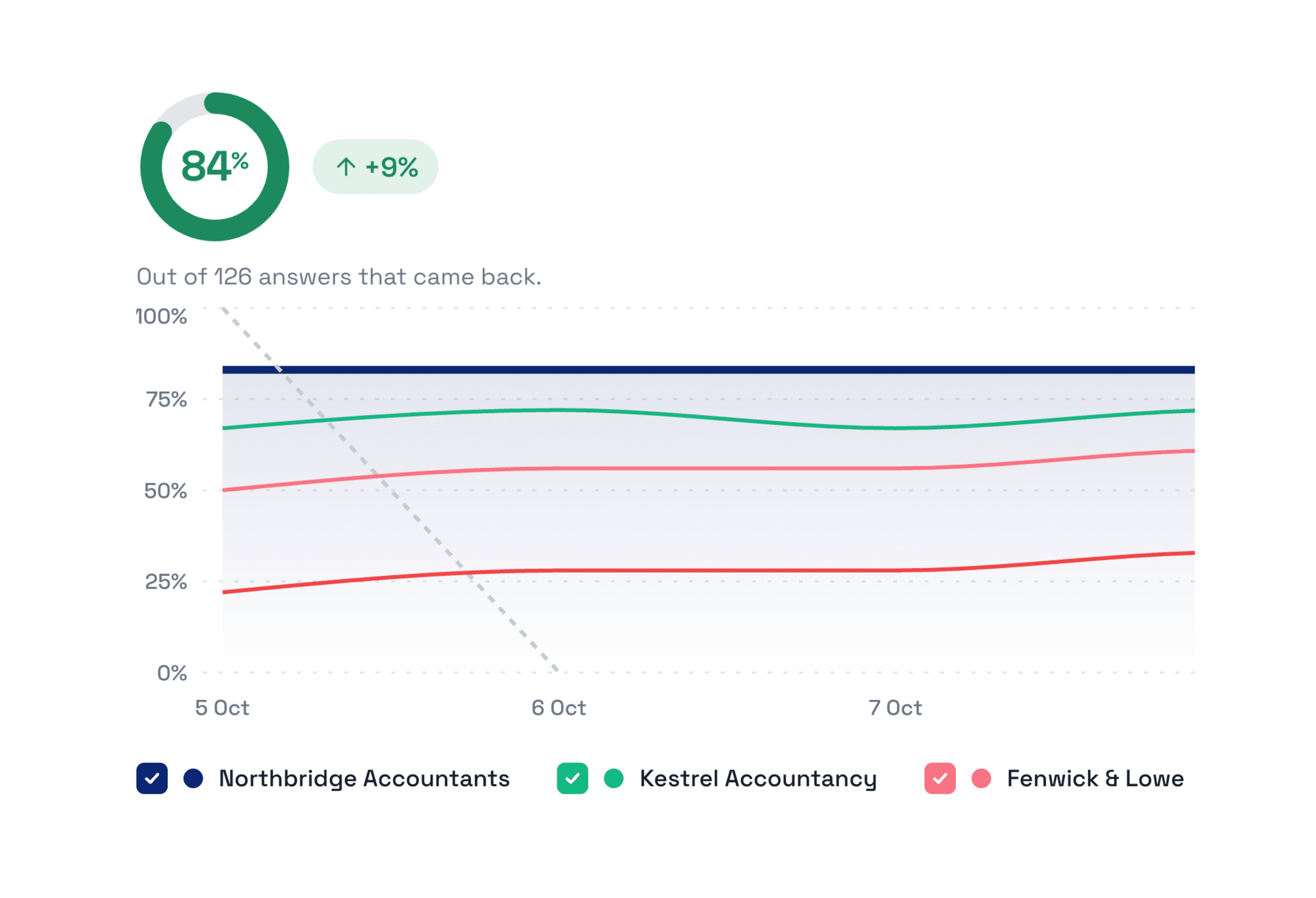
Midwaver is an AI visibility tracker. It asks ChatGPT, Perplexity and Google AI Overviews the questions your customers ask and shows you what they say. You can see how often your business is named, how you're described, which competitors appear instead and which websites the AI tools rely on. A simple dashboard turns the results into clear next steps.
Midwaver can't make ChatGPT recommend you and no tool can. It shows you where you stand so you can see whether what you change makes a difference.
Start your free 7 day trial. There's no credit card needed and you can track up to 10 questions in your trial, per day. Add your website, pick your competitors and see who's being recommended. If you'd like more detail first, the features and pricing pages cover the rest.
The businesses that get recommended by people they've never met usually do so by being clear, consistent and well vouched for. It's worth knowing whether ChatGPT can see that about you.
Don’t let AI search send your customers to a competitor.
See who's being recommended, find where you're missing out and start improving your visibility today.
No credit card required